Context: This guide details how to update your mobile phone number within the Profile Settings section of the Wrkr Portal.
New: International phone numbers are now supported. To see the list of country codes supported, please see the section below.
Interactive Demo
Note: Make the demo full-screen for a better experience. You can mute/un-mute narration to suit your preferences.
Step by Step
1. Edit Personal Information – Mobile Phone Number
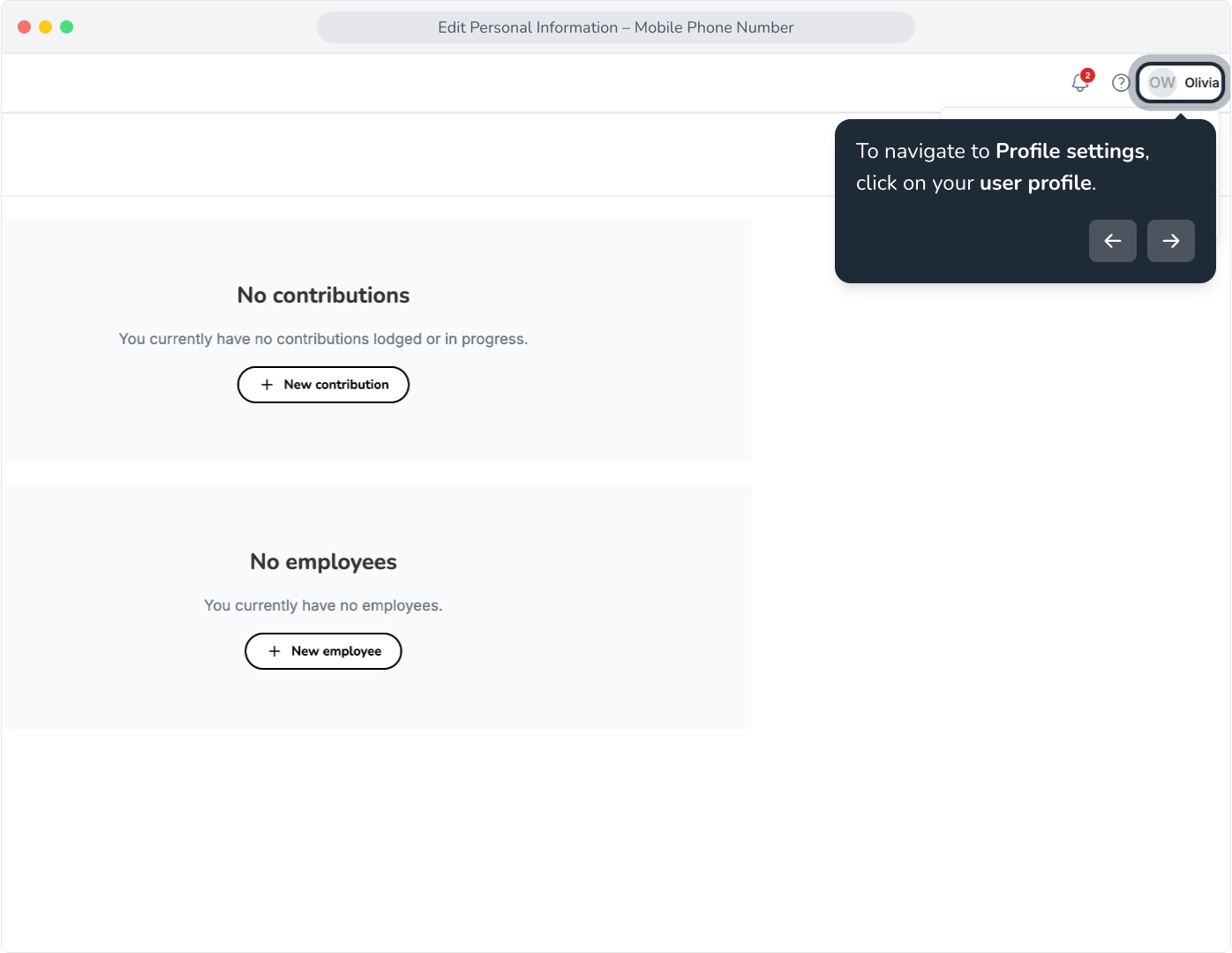
2. To navigate to Profile settings, click on your user profile.
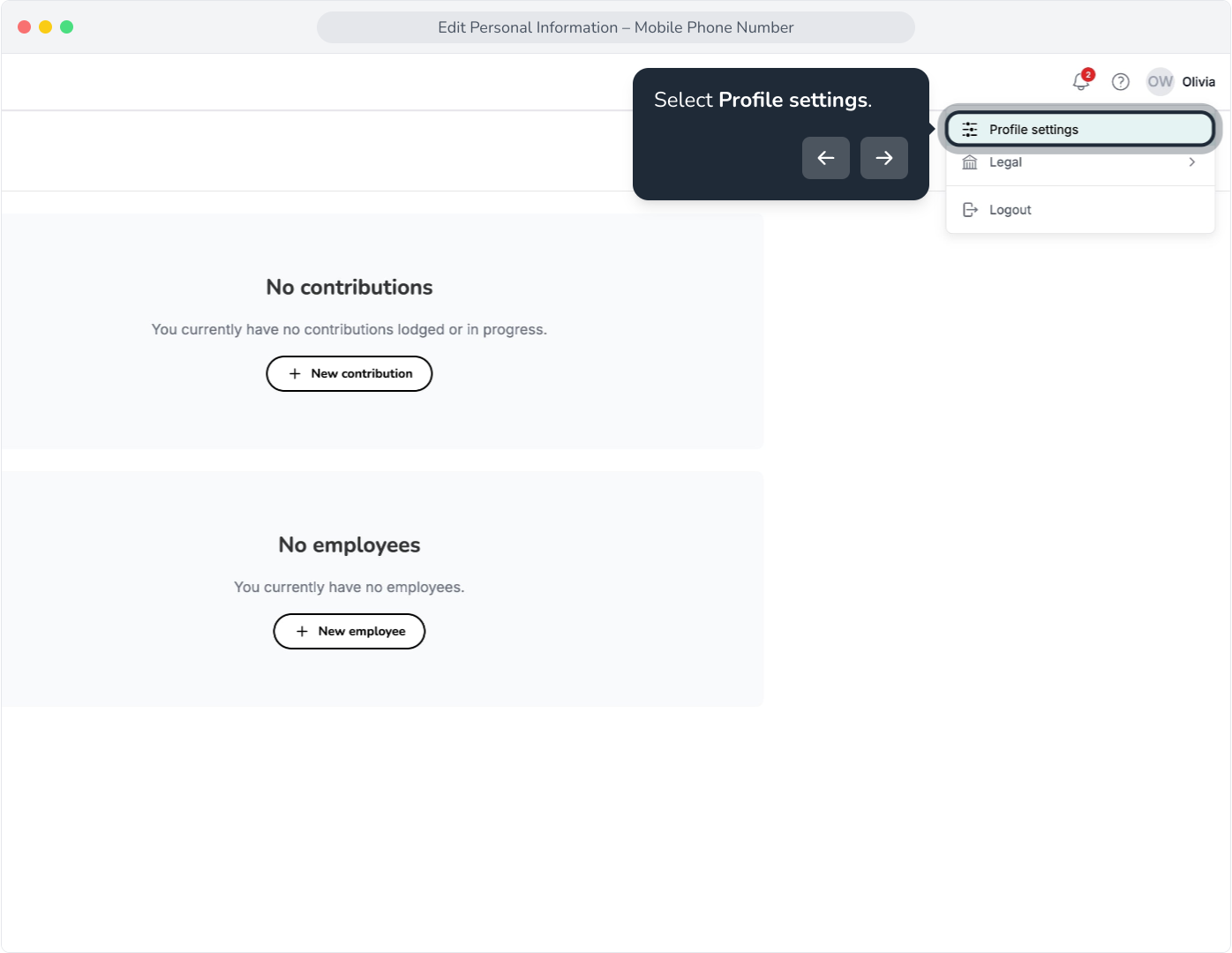
3. Select Profile settings.
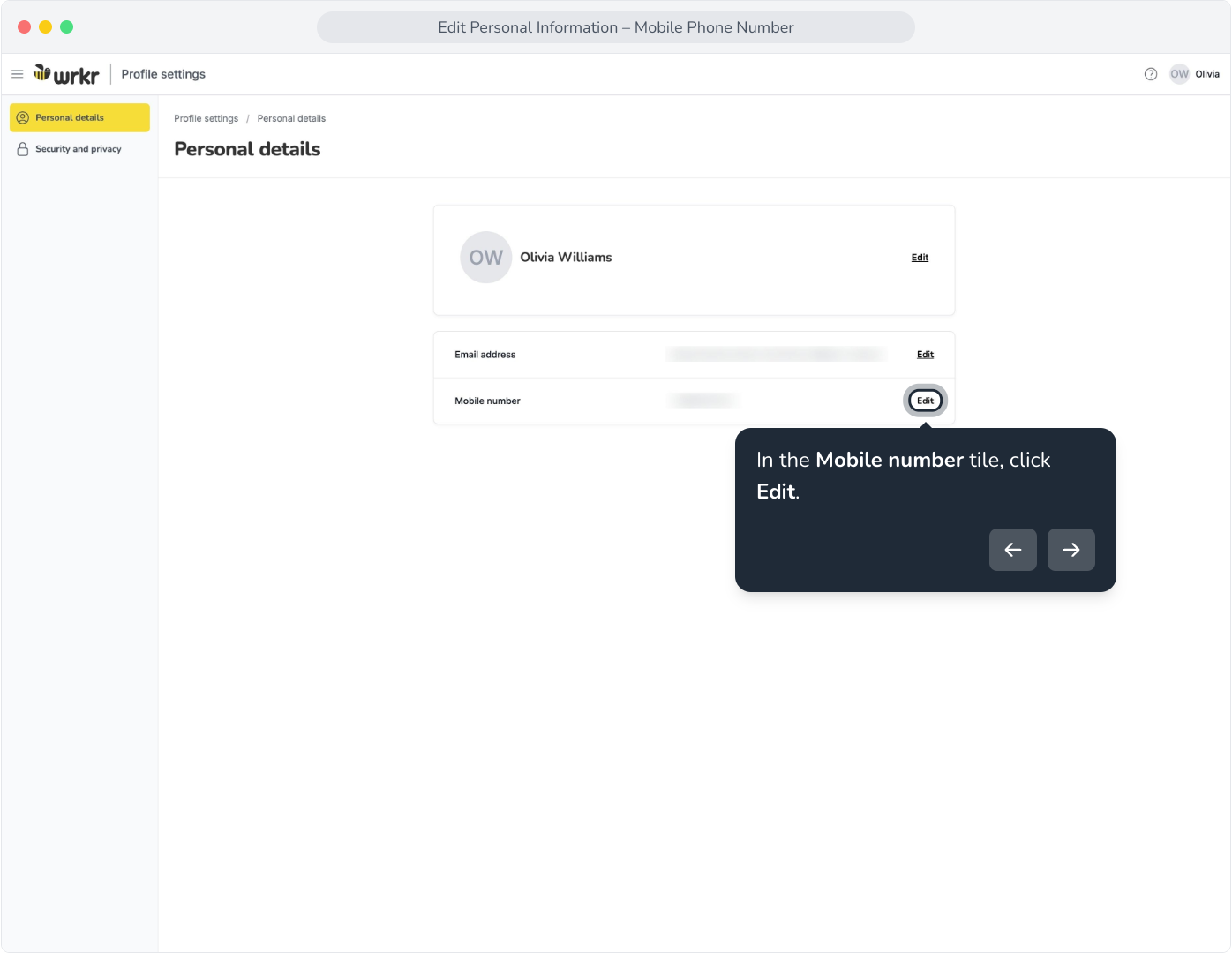
4. In the Mobile number tile, click Edit.
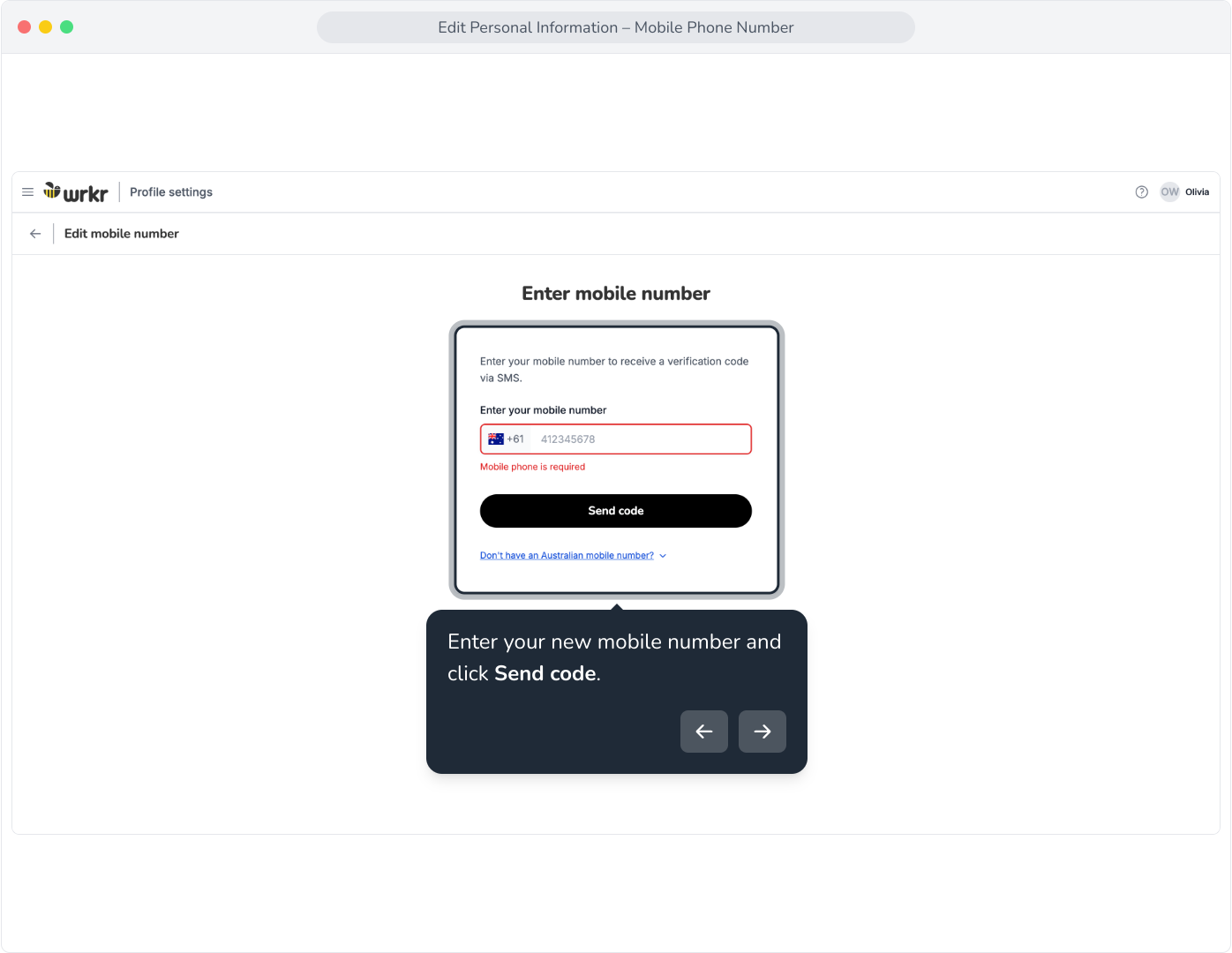
5. Enter your new mobile number and click Send code.
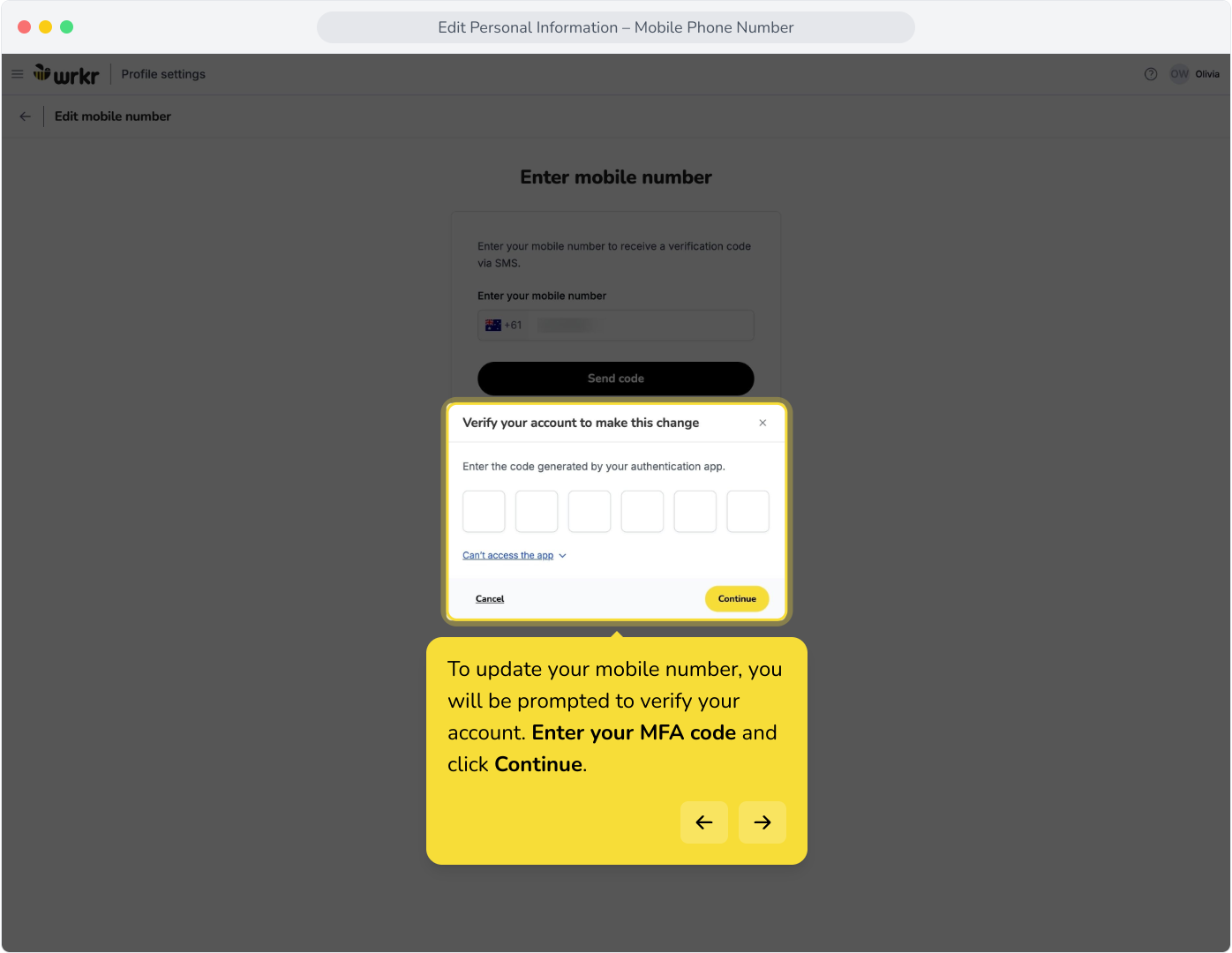
6. To update your mobile number, you will be prompted to verify your account. Enter your MFA code and click Continue.
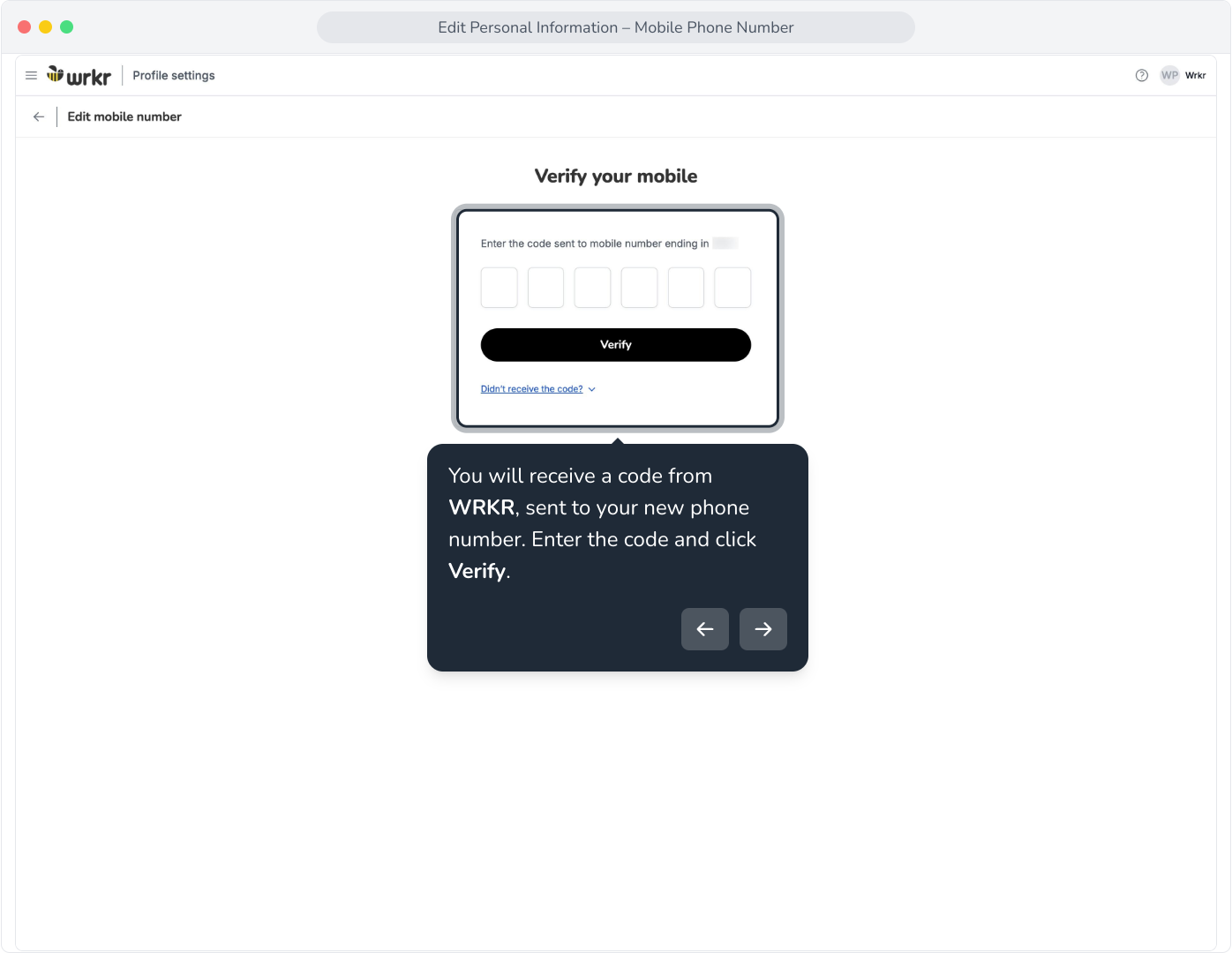
7. You will receive a code from WRKR, sent to your new phone number. Enter the code and click Verify.
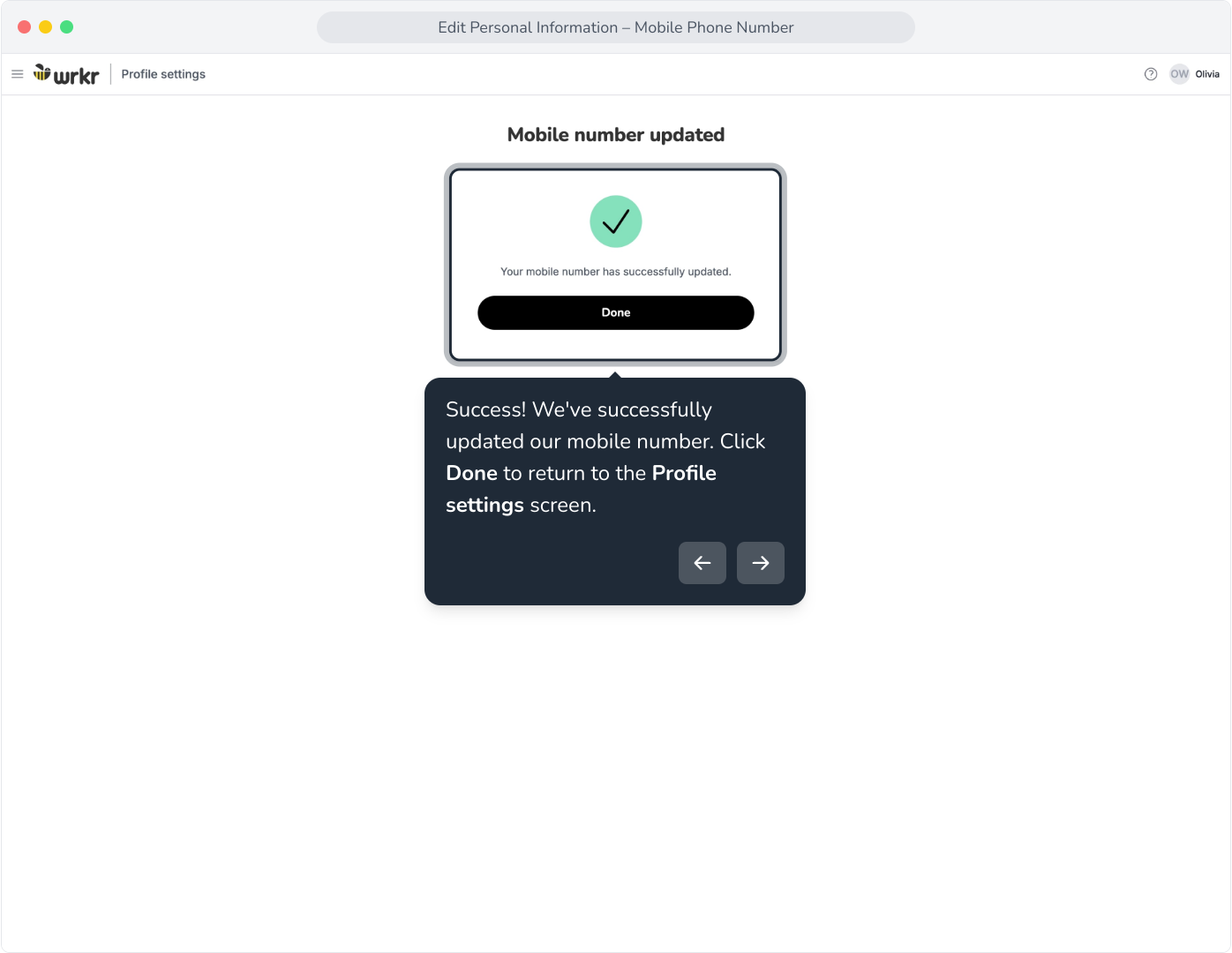
8. Success! We've successfully updated our mobile number. Click Done to return to the Profile settings screen.
Using International Numbers
New: Our platform now supports international phone numbers when registering or onboarding new employees. Please see the list of currently supported country codes below.
Supported country codes
| Country |
|---|
| Australia (+61) |
| Belgium (+32) |
| Canada (+1) |
| Fiji (+679) |
| Finland (+358) |
| France (+33) |
Germany (+49) |
| Hong Kong (+852) |
India (+91) |
Ireland (+353) |
Japan (+81) |
Malaysia (+60) |
New Zealand (+64) |
Singapore (+65) |
South Korea (+82) |
Sweden (+46) |
United Kingdom (+44) |